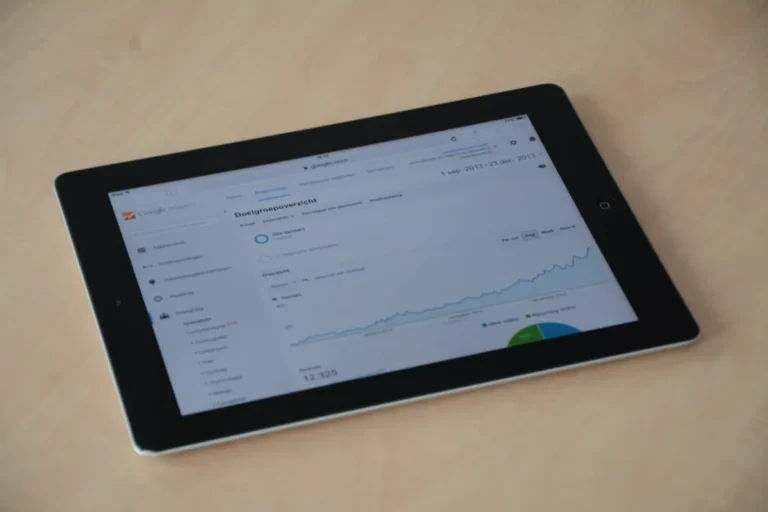
Affiliate revenue is disproportionately tied to a narrow sliver of high-intent keywords. While informational blog posts drive traffic volume, commercial investigation terms like "best [product category]" and transactional terms like "[product] review" drive the actual commissions. For an affiliate site owner, tracking these keywords requires a different methodology than a standard brand awareness campaign. A drop from position two to position four on a high-intent term doesn't just represent a loss in visibility; it represents a measurable hit to monthly recurring revenue.
Segmenting Keywords by Commercial Distance
Effective tracking begins with tagging keywords based on their proximity to the sale. A flat list of 500 keywords provides no actionable data. Instead, segment your tracking into three distinct buckets to monitor how users move through your funnel.
Commercial Investigation: These are your "Best of" lists. Keywords like "best ergonomic chairs 2024" or "top-rated gaming laptops" are the backbone of affiliate sites. Track these with high frequency—ideally daily—because the SERP for these terms is highly volatile and prone to sudden shifts when Google updates its product review systems.
Transactional Comparison: Terms like "[Product A] vs [Product B]" or "[Brand] alternatives." These users have narrowed their choice to two or three options. Tracking these allows you to see if a competitor is poaching your traffic by creating more detailed comparison tables or better side-by-side spec analysis.
Post-Purchase/Branded Review: Keywords like "[Specific Model] review" or "is [Brand] worth it." These are the final touchpoints. If your rankings for these terms slip, your conversion rate will crater even if your "Best of" traffic remains stable. You are losing the user at the moment of peak intent.
Monitoring SERP Feature Displacement
In the current SEO environment, a #1 organic ranking is no longer a guarantee of the top pixel position. Google frequently inserts Product Grids, "Popular Products" carousels, and Featured Snippets above the traditional organic results. For affiliate sites, these features are often "zero-click" threats or direct links to retailers like Amazon or Walmart, bypassing the affiliate middleman entirely.
You must track not just your numerical position, but your "above the fold" visibility. If a Product Grid appears for your primary keyword, your #1 ranking might be pushed 800 pixels down the page. Use a rank tracker that identifies which SERP features are present for every tracked keyword. If you see a "People Also Ask" box expanding or a new "Buying Guide" carousel appearing, you may need to adjust your content structure—adding more specific FAQ schema or concise product summaries—to reclaim that visual real estate.
Warning: Ignoring the "People Also Ask" (PAA) boxes on high-intent keywords is a common mistake. If a competitor’s site is consistently appearing in the PAA for your target "best of" keywords, they are siphoning off users who are looking for quick specific answers before clicking a recommendation.
Analyzing Competitor Volatility and Share of Voice
Affiliate niches are notoriously crowded. Tracking your own rankings in a vacuum is insufficient; you need to monitor the "Share of Voice" (SoV) across your entire keyword set. SoV calculates your visibility based on the search volume of the keywords you rank for and your specific position.
- Identify Rising Aggregators: Watch for large media brands (like Forbes Advisor or NYT Wirecutter) entering your niche. If their SoV increases while yours remains flat, they are likely targeting your high-intent clusters.
- Detect Algorithm Sensitivity: If five of your competitors all drop simultaneously while one new site rises, it indicates a specific change in how Google is evaluating "Helpful Content" in your category.
- Content Refresh Triggers: When a competitor moves from page two to the top three for a "review" keyword, it usually means they have updated their pricing, added original photography, or improved their hands-on testing data. Use this as a signal to audit your own content.
Tracking Localized Intent for Niche Affiliates
Many affiliate marketers overlook the impact of localization, assuming that "best cordless drill" looks the same everywhere. However, Google increasingly tailors results based on the searcher's IP address, especially if there is any perceived local service intent. For affiliates in niches like home improvement, solar energy, or insurance, the SERP can vary significantly between Chicago and Los Angeles.
To get accurate data, set your tracking to specific geographic locations. If you are an affiliate for a national solar provider, tracking your rankings at a national level will give you a false average. Tracking at the city or state level reveals where you are actually winning the "near me" or state-specific intent that leads to higher-value lead generation payouts.
Integrating Rank Data with Conversion Metrics
The most sophisticated affiliate operators do not look at rank tracking data in isolation. They map it directly to their affiliate dashboard data. If your ranking for "best high-end espresso machines" holds steady at position #1, but your clicks to Amazon or Williams-Sonoma are dropping, it suggests a "SERP layout" issue or a "search intent shift."
Perhaps the user intent for that keyword has shifted from "buying guides" to "video demonstrations." If you see your rank is stable but your CTR (Click-Through Rate) in Google Search Console is declining, it is a signal that your meta title or description is no longer competitive against the new entries in the SERP. High-intent keywords require constant title tag experimentation to maintain a high CTR against aggressive competitors.
Tactical Execution for Intent-Based Tracking
To move beyond basic tracking, implement a weekly audit of your "Top 20 Revenue Drivers." These are the keywords that, according to your analytics, generate 80% of your commissions. For these 20 terms, you should monitor:
1. Pixel Depth: How many pixels from the top of the page does your link sit?
2. Competitor Snippet Changes: Did a competitor add "Price Drop" or "Updated for Oct 2024" to their title?
3. SERP Feature Changes: Has a new "Buying Guide" or "Product Carousel" appeared?
4. Direct Competitor Movement: Is a specific rival consistently outranking you on mobile vs. desktop?
By focusing your highest intensity tracking on these revenue-critical terms, you can react within hours to a ranking drop rather than waiting for a monthly report to show a decline in earnings.
Frequently Asked Questions
How often should I check rankings for my affiliate site?
For your top 10% of revenue-generating keywords, daily tracking is essential. For informational or "long-tail" keywords that support your topical authority but don't drive direct sales, weekly or even bi-weekly tracking is sufficient to monitor general trends.
Why did my ranking stay the same but my affiliate clicks drop?
This usually happens due to SERP feature displacement. Google may have introduced a new Product Grid, an AI Overview (SGE), or a larger Featured Snippet that pushes the #1 organic result further down the page, reducing the overall click-through rate for all organic listings.
Should I track mobile and desktop rankings separately?
Yes. Affiliate conversion rates often differ significantly between devices. Mobile users may be looking for quick reviews while on the go, while desktop users might be doing deep research. If your site is not optimized for mobile speed, you may find your mobile rankings lagging behind your desktop performance, costing you significant traffic.
What is the most important metric for an affiliate site?
While position is important, "Share of Voice" within your specific product category is the most critical metric. It tells you how much of the total available high-intent traffic you are capturing compared to your direct competitors, providing a clearer picture of your market dominance than a simple average position score.