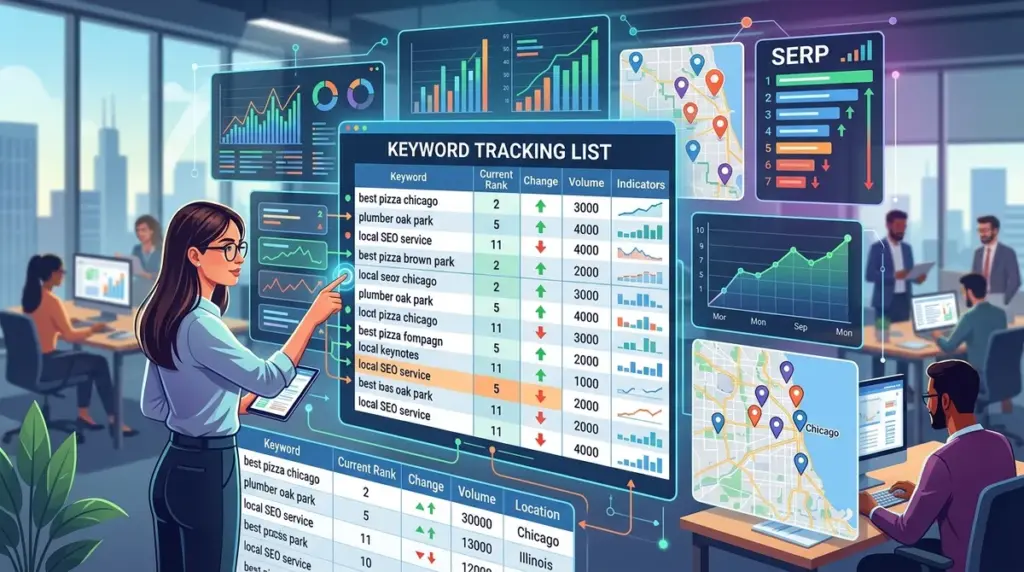
Local SEO success is measured in blocks, not countries. If your tracking list relies on national search volumes or broad city-level data, you are likely missing the hyper-local shifts that actually drive foot traffic and service calls. A business ranking at the top of the Map Pack in one neighborhood might be entirely invisible three miles away. To build a keyword list that reflects commercial reality, you must move beyond generic terms and map your tracking strategy to the specific geographic boundaries where your customers live and search. Understanding what geo specific keyword tracking reveals about your performance is key to capturing local market share.
Identify Core Service and Product Pillars
The foundation of a local tracking list starts with your primary revenue drivers. These are the high-intent keywords that describe exactly what you do. For a law firm, this isn't just "lawyer"; it is "personal injury attorney" or "car accident lawyer." For a HVAC company, it is "AC repair" or "furnace installation."
Start by auditing your Google Business Profile (GBP) categories. Google uses these categories to understand your core relevance. If you are listed as a "Digital Marketing Agency," that is your primary pillar. Your tracking list should reflect these categories first, as they have the highest correlation with Map Pack visibility. List every service you provide and rank them by profit margin. You should allocate more tracking resources to the services that keep the lights on, rather than low-margin "loss leader" services.
Geographic Segmentation and Neighborhood Modifiers
Generic searches are increasingly rare. Users either include a location modifier or Google injects one based on their IP or GPS data. Your tracking list must account for both scenarios. You need to track three distinct types of geographic modifiers:
- City-Level: [Service] + [City Name] (e.g., "Roofing contractor Chicago")
- Neighborhood-Level: [Service] + [Neighborhood/District] (e.g., "Roofing contractor Lincoln Park")
- Implicit Local: [Service] + "Near Me" or just [Service] (e.g., "Plumber")
Neighborhood-level tracking is often overlooked but provides the most actionable data for multi-location brands. If you see a dip in "Lincoln Park" but stability in "Wicker Park," you know the issue is local competition or a specific citation problem in that area, rather than a site-wide algorithmic penalty.
Pro Tip: When tracking "Near Me" keywords, ensure your tracking tool is set to a specific zip code or exact GPS coordinates. Tracking "Near Me" from a national or city-center baseline will return useless data that does not reflect what a mobile user sees on the street.
Mapping Keywords to the Map Pack vs. Organic Blue Links
Local SEO is a two-front war. You are competing for the "Local Pack" (the map and three listings) and the localized organic results below it. Your keyword list should be categorized by which "surface" you are targeting. Some keywords, like "emergency plumber," almost always trigger a Map Pack. Others, like "how to fix a leaky faucet," are informational and will trigger standard organic links.
Best for Map Pack: High-urgency, service-based keywords and "near me" queries. These require a optimized Google Business Profile and local citations.
Best for Organic: Long-tail "how-to" queries, localized guides, and comparison keywords. These require high-quality on-site content and local backlinks.
By tagging your keywords as "Map Pack" or "Organic" in your tracker, you can better allocate your time. If you rank #1 organically but aren't in the Map Pack for a high-intent term, your priority should be GBP optimization and review generation, not more blog posts.
Analyzing Competitor Dominance
A tracking list is incomplete without your competitors. In local SEO, your competitors aren't just the big national brands; they are the "mom and pop" shops that have been in the neighborhood for 30 years. Identify the top three businesses appearing in the Map Pack for your primary keywords. Add their brand names to your tracking list to monitor their "Brand + Service" search volume. If a competitor's brand name is being searched frequently alongside your service, they are building stronger local brand equity than you. Tracking this allows you to pivot your local PR or ad spend to counter their growth.
Refining the List with Search Intent Data
Not all local traffic is equal. A user searching for "landscaping ideas" is in the research phase, while a user searching for "landscaping estimates" is ready to hire. Your tracking list should be weighted toward "bottom-of-funnel" keywords. These include terms like "price," "reviews," "best," "emergency," and "contractors."
Structure your list to include a mix of these intent-heavy modifiers. If you only track high-volume broad terms, you might see "green" ranking reports that don't translate into phone calls. Conversely, tracking 50 variations of "affordable [service]" might show you exactly where your conversion bottlenecks are occurring.
Setting Up Technical Tracking Parameters
Once your list is finalized, the technical setup determines the accuracy of the data. For local SEO, "Global" or "National" tracking settings are irrelevant. You must configure your tracker to use specific locations. Most advanced tools allow you to specify a zip code or a specific street address. This is critical because Google’s "Opossum" update and subsequent local filters heavily weigh the distance between the searcher and the business. If you are a service-area business (SAB) without a physical storefront, track from the center of the various zip codes you serve to ensure you are appearing in the results for your entire service radius.
Executing Your Local Tracking Strategy
Building the list is only the first step; the value lies in the cadence of your analysis. Review your local rankings weekly, as the Map Pack is significantly more volatile than organic blue links. Look for "position cannibalization" where your GBP listing and your website are competing for the same spot, and use your tracking data to decide which asset to prioritize. Finally, prune your list every quarter. If a neighborhood is no longer profitable or a service category has changed, remove those keywords to keep your data clean and focused on high-margin opportunities.
Local SEO Tracking FAQ
How many keywords should I track for a local business?
For a single-location business, a list of 50 to 150 keywords is usually sufficient. This should cover your core services, neighborhood modifiers, and top competitors. Multi-location brands will need significantly more, often 50-100 keywords per location to account for regional search variations.
Why do my rankings look different on my phone than in my tracking tool?
Google uses your precise GPS location, search history, and even the direction you are facing to personalize mobile results. Tracking tools use fixed data centers or specific zip code nodes. While the tool provides a "clean" baseline for performance, your personal mobile results are influenced by hyper-personalization factors.
Should I track keywords that have zero search volume in keyword planners?
Yes. Standard keyword research tools often underreport local search volume. If a term is a service you provide in a specific neighborhood, it is worth tracking. Even 10 searches a month for a high-ticket service like "roof replacement" can be worth thousands of dollars in revenue.
Does tracking frequency affect my local SEO?
Tracking itself does not affect your SEO, but the frequency of your reports dictates how fast you can respond to competitors. In local markets, a new competitor can appear in the Map Pack overnight by optimizing their GBP. Weekly tracking allows you to catch these shifts before they impact your monthly lead volume.