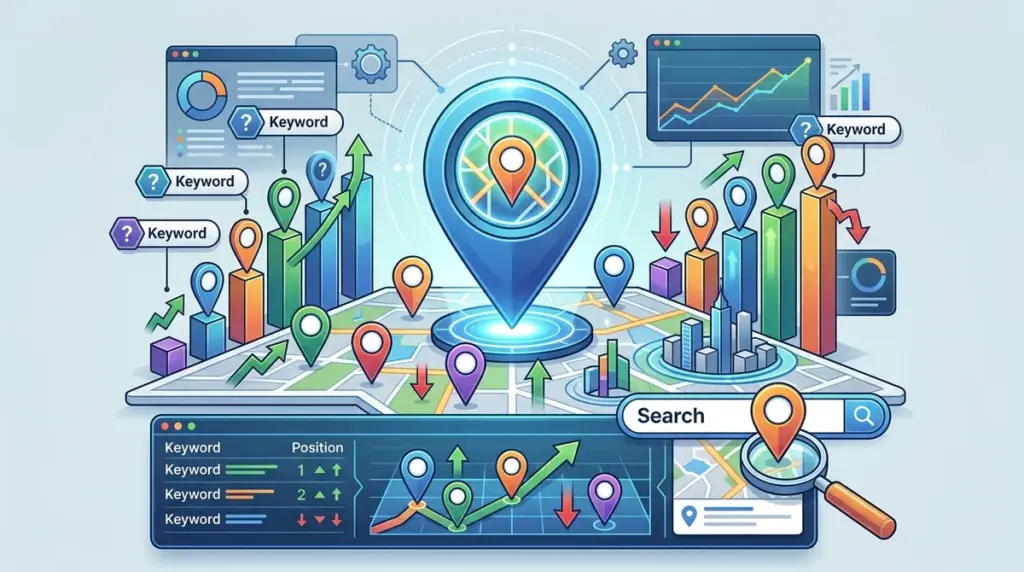
Local visibility is binary: a business is either in the Google Map Pack or it is invisible to high-intent mobile searchers. For service-based businesses and brick-and-mortar retailers, traditional organic rank tracking provides an incomplete picture. A website might rank #1 globally for a keyword, but if the local branch doesn't appear in the top three results of a "near me" search, the business loses the conversion to a competitor located three blocks closer. Tracking Google Maps rankings requires a departure from standard SEO reporting, shifting focus from national averages to hyper-local coordinate data. This shift is particularly vital for businesses with multiple branches, making tracking keyword rankings across multiple locations a necessity for localized success.
The Technical Difference Between Organic and Map Pack Tracking
Standard rank tracking measures the position of a URL within the blue-link organic results. Google Maps tracking, however, monitors the Google Business Profile (GBP) within the Local Pack. These results are governed by a distinct algorithm that prioritizes three specific pillars: proximity, relevance, and prominence. Because proximity is the most volatile variable, a single ranking report for a city is often misleading. A plumber might rank #1 when the search is conducted from the city center but drop to #12 when the user is five miles south. Therefore, for businesses operating within a specific municipality, tracking local keyword rankings by city provides a more accurate performance snapshot.
Best for: Multi-location franchises, local service providers (SABs), and dental or medical practices where the patient's physical location dictates the search result.
Geographic Coordinates vs. Zip Codes
To accurately track Maps results, you cannot rely on zip codes alone. Zip codes cover too much territory for the precision required by the Map Pack. Professional tracking setups utilize latitude and longitude coordinates to simulate a user standing at a specific street corner. This level of granularity reveals "ranking dead zones"—areas where a competitor’s proximity overrides your profile’s authority.
Implementing Grid-Based Rank Tracking
The most effective way to visualize Maps performance is through a coordinate grid. Instead of checking a single point, a tracker should scan a series of points across a defined radius (e.g., a 5x5 or 7x7 grid). This creates a heat map of visibility.
- Grid Density: For dense urban environments, a 500-meter spacing between points is necessary. In rural areas, a 2-mile spacing is more appropriate.
- Centroid Focus: Always set the center of your grid on the business’s physical location, but extend the radius to cover the entire target service area.
- Competitor Benchmarking: Grid tracking allows you to see exactly where a competitor’s "reach" ends and yours begins, identifying specific neighborhoods where you need more local citations or localized landing pages.
Pro Tip: If you are a Service Area Business (SAB) with a hidden address, Google still uses your verified physical location as the "center" for proximity calculations. Track your rankings from that hidden point to understand your true baseline before expanding your grid outward.
Key Metrics to Monitor Beyond Position
Tracking the number next to your business name is only the first step. To diagnose why a ranking has dropped, you must monitor the metadata that Google pulls into the Map Pack. Sharp fluctuations in rankings are often tied to changes in these specific areas:
Primary Category Alignment
Google frequently updates the weight it gives to specific GBP categories. If a competitor changes their primary category from "Restaurant" to "Italian Restaurant," they may suddenly leapfrog you for specific queries. Your tracking tool should report the primary categories of the top three competitors for every keyword tracked.
Review Velocity and Rating Delta
Rankings in Google Maps are highly sensitive to recent activity. Tracking your "Review Velocity"—the speed at which you acquire new reviews compared to competitors—is a leading indicator of rank shifts. A sudden drop in ranking often correlates with a competitor receiving a burst of 5-star reviews or your own profile stagnating for more than 30 days.
The "Just Mentioned" Snippet
Google often justifies a Map Pack ranking by pulling text from user reviews or website content, labeled as "Their website mentions..." or "A reviewer said...". Tracking whether your profile triggers these snippets for your target keywords is essential for understanding the relevance component of the algorithm.
Managing Mobile vs. Desktop Variance
Google Maps results differ significantly between devices. Mobile users are often "on the move," and Google places a heavier emphasis on real-time proximity. Desktop users are often researched-based, where Google might show a slightly wider radius. A professional tracking strategy must split these reports. If your mobile Map Pack rankings are lower than your desktop rankings, it usually indicates a need for better mobile site speed or a more optimized "Click-to-Call" button, as user interaction signals influence mobile rankings more heavily.
Executing a Local Tracking Strategy
To move from data collection to revenue growth, local rank tracking must be integrated into a broader SEO workflow. Start by identifying your top 10 "money keywords"—those with high local intent like "emergency locksmith" or "divorce lawyer near me." Set these keywords to track on a daily basis using a 5x5 grid. Weekly or monthly tracking is insufficient for the Map Pack because Google’s local algorithm updates frequently, often without the public announcements associated with core organic updates.
Analyze the grid to find "ranking fractures." If you rank well to the North and East but fail in the South, investigate the competitors in that specific southern quadrant. Are they physically closer, or do they have more localized backlinks? Use this data to inform your localized content strategy, such as creating location-specific pages or sponsoring local events in those underperforming zones.
Frequently Asked Questions
Does my physical office location limit where I can rank?
Yes, proximity is a primary ranking factor. While strong organic authority and high review counts can expand your "reach," there is a physical limit to how far Google will show a business in the Map Pack. Grid tracking helps you identify this limit so you don't waste resources trying to rank in distant neighborhoods where a local competitor has an insurmountable proximity advantage.
Why do my rankings change when I move a few blocks away?
Google uses the user's precise GPS location (on mobile) or IP address (on desktop) to determine the most convenient result. In competitive niches, even a few hundred meters can change the composition of the Map Pack. This is why "single-point" tracking is largely obsolete for local SEO.
Can I track rankings for multiple service areas?
If you have multiple verified Google Business Profiles, you should track each one with its own dedicated grid. If you are a single-location business serving multiple areas, you must track from the center of each target area to see how your profile performs as the distance from your office increases.
How often should I refresh my local ranking data?
For high-competition industries, daily tracking is recommended. Local results are more volatile than organic results because they are influenced by real-world factors like business hours (some businesses only show when they are "Open Now") and temporary spikes in local search volume.