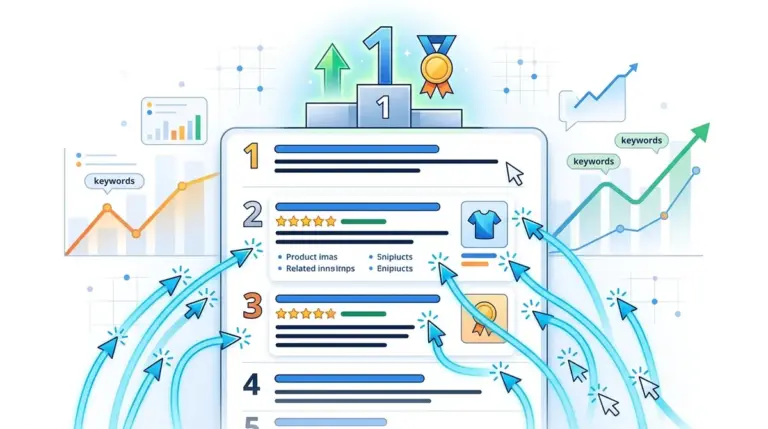
The Erosion of the Traditional Blue Link
Ranking in the first position on Google no longer guarantees a 30% click-through rate (CTR). In the current search ecosystem, a "number one" ranking is often pushed several hundred pixels down the page by a combination of sponsored listings, Featured Snippets, and interactive widgets. For SEO professionals and agencies, tracking raw position is a legacy metric that fails to account for the reality of SERP real estate. If a People Also Ask (PAA) box and a Local Pack appear above your organic result, your "Position 1" might actually be "Visual Position 4," resulting in a significant traffic deficit compared to a clean SERP.
Understanding the impact of SERP features is the difference between accurate traffic forecasting and explaining away a 50% drop in organic visits despite stable rankings. Every pixel of non-organic content acts as a friction point between the user and your website. To maintain commercial viability, marketers must shift their focus from simple rank tracking to measuring "Share of Voice" and "Pixel Height" to understand how much of the screen they actually control.
Quantifying the CTR Degradation by Feature Type
Not all SERP features impact CTR in the same way. Some are "click-thieves" that satisfy user intent directly on the search page, while others are "click-boosters" that enhance the visibility of a specific brand. Distinguishing between these is critical for prioritizing content updates and technical SEO efforts.
- Featured Snippets: Often referred to as "Position Zero," these blocks provide a direct answer. While they offer high brand visibility, they frequently lead to zero-click searches for informational queries. Research indicates that when a Featured Snippet is present, the CTR of the first organic result below it can drop from ~26% to below 15%.
- People Also Ask (PAA): These accordions create an infinite scroll effect. Each time a user clicks a question, more are generated, pushing organic results further down the page. PAA boxes act as a distraction mechanism, diluting the focus on the primary organic list.
- Knowledge Panels: For branded or entity-based searches, Knowledge Panels dominate the right-hand side (desktop) or the top (mobile). They often satisfy the user's need for contact info, social links, or basic facts, effectively ending the search journey before a click occurs.
- Local Packs: For any query with local intent, the "Map Pack" captures the vast majority of mobile clicks. Organic results appearing below the Local Pack often see a CTR reduction of over 50% compared to non-local SERPs.
- Sitelinks: This is a rare positive feature. Sitelinks expand your organic footprint, providing more "surface area" for a user to click. Results with Sitelinks generally see a 20-50% increase in CTR because they dominate more vertical space and offer deeper entry points into the site.
Warning: High-volume keywords with "Answer Box" features often have the lowest commercial value for top-of-funnel traffic. If your goal is lead generation, avoid competing for keywords where Google provides the full answer in the SERP, as the cost-per-click (CPC) and organic effort will rarely yield a positive ROI.
The Visual Displacement Factor
The primary driver of CTR loss is visual displacement. On mobile devices, a single "Images" carousel or a "Top Stories" section can occupy 100% of the initial viewport. If a user has to scroll twice to find the first organic result, the likelihood of a click drops exponentially. This is why "above the fold" is no longer a web design term, but a critical SEO KPI.
Best for: E-commerce managers and publishers who rely on high-volume informational traffic. You must audit your high-traffic keywords to see if "Image Packs" or "Product Grids" are appearing. If they are, your strategy must pivot from standard blogging to optimizing for Google Images and Merchant Center feeds to ensure you appear within those features rather than below them.
Strategic Adaptation: Winning the Features You Can't Beat
Since you cannot remove SERP features, you must optimize to occupy them. This requires a shift in technical execution. For example, if a PAA box is dominating your target keyword, your content should be structured with H3 headings that mirror those exact questions, followed by concise, 40-60 word answers. This increases the probability of your site being the source for that specific feature.
For e-commerce, the "Popular Products" and "Deals" features are now non-negotiable. Implementing robust Keyword Ranking Tracker markup (Product, Offer, Review) doesn't just help with rankings; it qualifies your site for "Rich Results" that can regain some of the CTR lost to Google Shopping ads. Without this structured data, your organic listing looks "flat" compared to competitors who have star ratings, price points, and stock status visible directly in the search results.
Reporting on Real-World Organic Performance
To provide value to stakeholders, SEO reports must move beyond the "Average Position" metric found in Search Console. Average position is a blended average that hides the impact of SERP features. Instead, use a model that weights clicks based on the presence of specific features.
Practical Context: An agency reporting a "Position 2" ranking for a high-value keyword might look successful on paper. However, if that SERP contains four Google Ads, a Featured Snippet, and a "Things to Know" section, that Position 2 might be receiving less than 2% of total search volume. Effective reporting identifies these "crowded" SERPs and redirects resources toward keywords with "cleaner" layouts where the CTR-to-rank ratio is healthier.
Optimizing for Intent-Specific SERP Layouts
Google adjusts SERP features based on perceived intent. "How-to" queries trigger video carousels; "Best [Product]" queries trigger listicle-style snippets and buying guides. Your content format must match the dominant SERP feature for that query. If the top of the page is dominated by YouTube videos, a 3,000-word long-form article is unlikely to capture the majority of clicks, regardless of how well it is written or backlinked. In this scenario, the "organic" strategy must include video production to capture the Video Carousel feature.
Actionable Steps to Protect Your Organic Traffic
To mitigate the impact of SERP features on your organic performance, implement the following workflow:
- Audit SERP Volatility: Identify which of your top 50 traffic-driving keywords have recently gained a Featured Snippet or PAA box. These are your highest-risk areas for traffic loss.
- Deploy Advanced Schema: Move beyond basic Article markup. Use FAQSchema, HowToSchema, and VideoSchema to increase the "visual weight" of your listings.
- Optimize for the Snippet: For keywords where a competitor holds the Featured Snippet, reformat your introductory paragraphs to be more factual and concise to try and "flip" the snippet to your domain.
- Monitor Pixel Depth: Use tools that measure the actual pixel distance of your result from the top of the page. If your result is more than 1,000 pixels down, consider it a "hidden" result and adjust your strategy.
Frequently Asked Questions
Does a Featured Snippet always decrease my total traffic?
Not necessarily. While it can lead to "zero-click" searches for simple factual queries, for complex topics, the Featured Snippet acts as a massive "billboard" that establishes authority. Users often click through to read the full context if the snippet provides a compelling "teaser" of the information.
How can I tell if a SERP feature is hurting my CTR?
Compare your Google Search Console data for keywords with similar rankings. If Keyword A (Rank 1) has a 30% CTR and Keyword B (Rank 1) has a 12% CTR, Keyword B is likely being suppressed by aggressive SERP features like Local Packs or heavy ad placement.
Is it better to rank #1 or have the Featured Snippet?
Ideally, both. However, if you must choose, the Featured Snippet is generally better for brand awareness and voice search optimization, while a clean #1 organic result (without a snippet above it) usually yields the highest raw click volume for deep-funnel, transactional queries.
Can I opt-out of SERP features like Featured Snippets?
Yes, you can use the nosnippet meta tag or the max-snippet tag to limit how much content Google can pull. However, this is generally discouraged as it often results in your listing being replaced by a competitor's snippet, pushing you even further down the page.